Public Wi-Fi has become so common that most people connect to it without a second thought. Airports, hotels, cafes, libraries, and co-working spaces all offer free internet access, and for good reason - staying connected on the go is now a basic expectation, not a luxury. But that convenience comes with a hidden cost. Public Wi-Fi networks are, by design, open and largely unsecured, which makes them one of the most consistently exploited entry points for data theft.
The danger is not hypothetical. Security researchers and law enforcement agencies have documented real cases of attackers setting up fraudulent hotspots in airports specifically to harvest credentials from unsuspecting travelers. Once connected to a compromised network, a user's passwords, financial information, and private messages can all be exposed without any visible warning sign.
The good news is that protecting yourself does not require deep technical expertise. Is public Wi-Fi safe? The honest answer is: it can be, but only when the right precautions are in place. This guide breaks down exactly how public Wi-Fi attacks work, what information is actually at risk, and the specific, actionable steps - both behavioral and technical - that close the gap between a vulnerable connection and a secure one.
The Hidden Dangers of Public Wi-Fi
Public Wi-Fi risks fall into a few well-documented categories, each exploiting the same underlying weakness: data traveling over an open or poorly secured network can be intercepted by anyone else within range.Man-in-the-Middle (MITM) Attacks
A man-in-the-middle attack occurs when an attacker secretly positions themselves between a user's device and the website or service they are trying to reach. Instead of data traveling directly from the user to its destination, it passes through the attacker first. The attacker can read it, alter it, or redirect it entirely, often without the user ever noticing a disruption in service. On public Wi-Fi, this type of interception is especially effective because the attacker often controls the same local network the victim has joined.Rogue Hotspots and Evil Twins
An evil twin attack involves an attacker creating a fake wireless access point designed to look identical to a legitimate one - often using a name like "Airport Free Wi-Fi" or mimicking a hotel or cafe's official network name. When a user connects to this fraudulent hotspot instead of the real one, every piece of data they send passes directly through the attacker's equipment. This is not a theoretical risk: in one widely reported case, an individual was arrested for setting up evil twin networks across multiple Australian airports specifically to capture email and social media login credentials from travelers connecting to what appeared to be standard airport Wi-Fi.Packet Sniffing and Data Interception
Packet sniffing refers to the use of widely available software tools to capture and inspect data packets as they travel across a network. On an unencrypted connection, this can expose usernames, passwords, and other sensitive information in readable, plain-text form. Even when a connection uses HTTPS, certain metadata - such as which websites were visited and when - can still be exposed to anyone monitoring the same network.Unencrypted Networks and Sidejacking
Many public Wi-Fi networks, particularly in airports, shopping centers, and small businesses, do not encrypt traffic at the network level at all. This lack of encryption opens the door to sidejacking, a technique where an attacker intercepts session cookies - small files that keep a user logged into a website - and uses them to hijack an active session without ever needing a password. The result can be an attacker gaining access to an email account, a social media profile, or a shopping account while the legitimate user remains completely unaware.What Hackers Can Actually See on Public Wi-Fi
On an unsecured or compromised public Wi-Fi network, the scope of exposed information is broader than most users assume. In plain terms, an attacker positioned on the same network can potentially see any data your device sends or receives that is not independently encrypted. This can include browsing activity, login credentials, and identifying details tied to a device or account.Information that may be exposed includes:
- Websites visited and approximate time spent on each
- Usernames and passwords entered on non-HTTPS sites
- Session cookies that can be used to hijack logged-in accounts
- Emails and instant messages sent through unencrypted services
- Files transferred or downloaded during the session
- Device identifiers, including IP address and, in some cases, device name
- Location data inferred from the specific Wi-Fi network being used
Importantly, none of this requires the attacker to "hack into" a personal device directly. Most of these techniques work simply by intercepting data as it travels across the shared network - which is exactly why securing the connection itself, rather than just the device, is the most effective defense.
How to Protect Yourself on Public Wi-Fi: A Step-by-Step Guide
Securing a connection on public Wi-Fi involves a combination of behavioral habits and technical safeguards. Following these steps significantly reduces exposure to the risks outlined above.1. Verify the network name directly with staff. Before connecting, confirm the exact official network name with an employee rather than trusting a similarly named option in the Wi-Fi list, which may be a rogue hotspot.
2. Avoid networks that require no password at all for sensitive use. Open networks with zero authentication are easier for attackers to monitor.
3. Turn off automatic Wi-Fi connection on your devices. Auto-connect features can silently join previously seen network names, including ones spoofed by an attacker.
4. Stick to HTTPS-secured websites. Look for the padlock icon in the browser address bar before entering any personal information.
5. Avoid logging into banking or financial accounts on public networks unless the connection is independently encrypted through additional protection.
6. Disable file sharing and AirDrop-style features while connected to any public network, since these can create additional access points for attackers.
7. Keep your device's operating system and apps fully updated. Security patches frequently close vulnerabilities that attackers actively look for.
8. Use a firewall on your device to add a layer of protection against unsolicited inbound connections.
9. Use a reputable VPN to encrypt your entire connection. This is the single most effective technical step, since it protects all traffic regardless of which network you join.
10. Log out of sensitive accounts when finished rather than simply closing the browser tab, to reduce the window during which a session cookie could be exploited.
Behavioral habits like verifying network names and avoiding sensitive logins reduce exposure, but they depend on constant vigilance. A VPN closes the gap that human error leaves open.
Why a VPN Is the Most Effective Public Wi-Fi Protection
very threat described above - man-in-the-middle attacks, evil twin hotspots, packet sniffing, and sidejacking - relies on one shared condition: the attacker can read or manipulate data because it is traveling across the network in a form they can access. A VPN eliminates that condition directly.
When a VPN is active, it creates an encrypted tunnel between the user's device and the VPN provider's server before any data touches the local network. This means that even if a device joins a malicious evil twin hotspot, or even if an attacker is actively running packet-sniffing software on the same network, the data they intercept is fully encrypted and unreadable. The man-in-the-middle is still positioned in the middle - but there is nothing usable left for them to see.
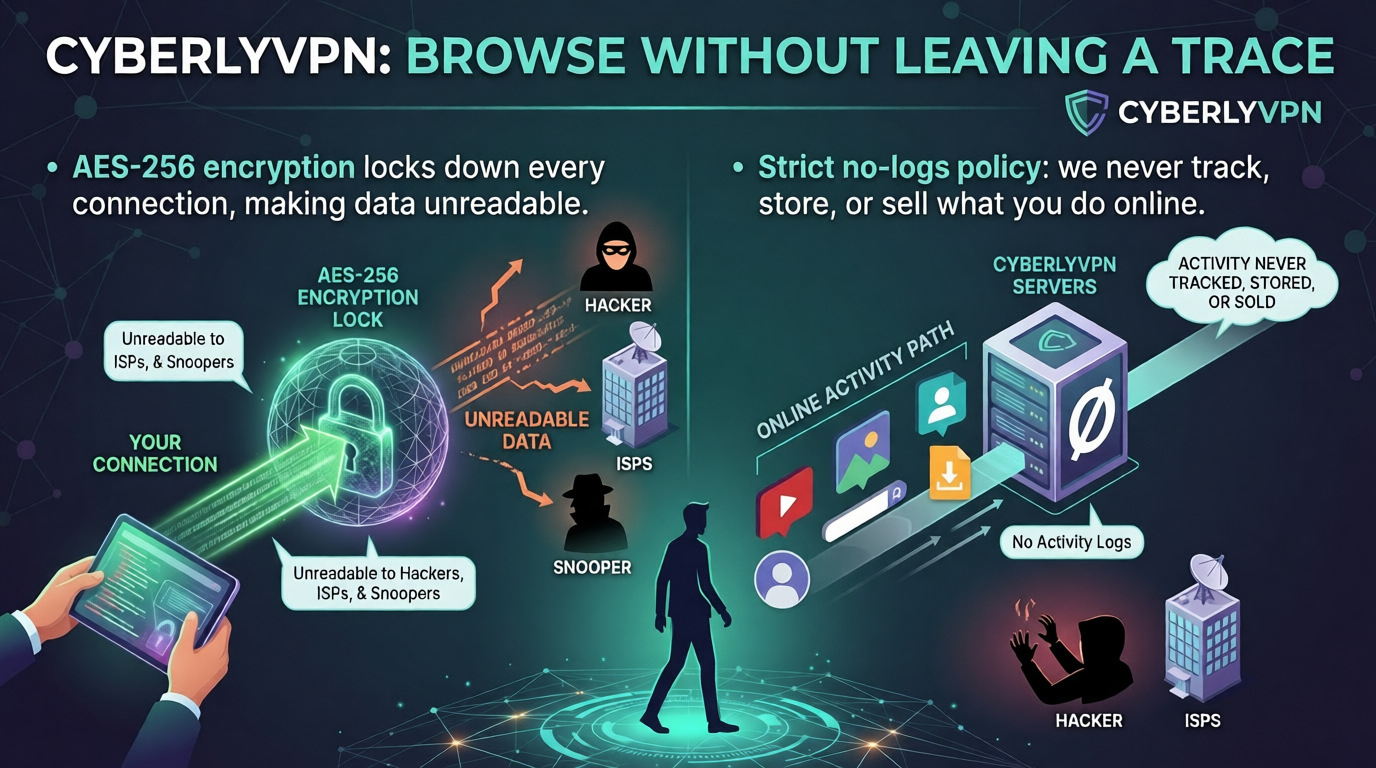
This is the layer where a properly configured VPN service like CyberlyVPN becomes particularly relevant. CyberlyVPN applies military-grade AES-256 encryption to every connection, the same encryption standard relied upon by banks and government institutions, ensuring that intercepted data is computationally unreadable to an attacker. Just as importantly, CyberlyVPN's strict, verifiable no-logs policy means it does not store browsing activity or session data itself, so there is no secondary record that could later be exposed.
One common hesitation around using a VPN on public Wi-Fi is the assumption that encryption will noticeably slow down an already congested airport or cafe network. CyberlyVPN addresses this directly through smart preloading technology, which is specifically designed to maintain faster connection speeds even on crowded, high-traffic public networks - the exact conditions where a slow VPN would otherwise discourage consistent use.
Choosing the Right VPN for Public Wi-Fi Security
Not every VPN offers the same level of protection. When evaluating a VPN specifically for securing connections on public Wi-Fi, a few criteria matter most:
- Strong, modern encryption. AES-256 encryption should be considered a baseline requirement, not a premium feature.
- A verifiable no-logs policy. Encryption protects data in transit, but a no-logs policy ensures the provider itself is not creating a separate record of user activity.
- A broad, reliable server network. A wider distribution of servers generally means better speeds and more consistent performance, since traffic is not concentrated on a small number of overloaded locations. CyberlyVPN, for example, operates more than 5000 servers across over 60 countries.
- Cross-platform compatibility. Public Wi-Fi risk applies equally to laptops, phones, and tablets, so a VPN should offer consistent protection across Windows, macOS, iOS, and Android.
- Flexibility for advanced users. Travelers and remote workers with custom setups benefit from VPNs that support Linux CLI access and remain compatible with OpenVPN-based open-source clients, rather than locking users into a single proprietary app.
- A way to test the service without risk. A genuine trial period - ideally backed by an instant refund - allows users to confirm real-world speed and compatibility on the specific networks they actually use, such as a regular coffee shop or a frequent airport route.
CyberlyVPN meets each of these criteria directly, combining AES-256 encryption, a strict no-logs policy, a global network exceeding 5000 servers, and full cross-platform and OpenVPN compatibility into a single service, backed by a risk-free test drive with an instant refund.
Additional Security Best Practices for Public Networks
A VPN substantially reduces risk, but layering additional safeguards on top creates stronger overall protection.
- Enable two-factor authentication (2FA) on all important accounts. Even if a password is somehow exposed, 2FA adds a second barrier that prevents immediate account access.
- Browse HTTPS-only sites whenever possible. Many modern browsers can be configured to block or warn against non-HTTPS connections automatically.
- Keep all software updated, including the operating system, browser, and any security applications, since outdated software is a common entry point for attackers.
- Disable file sharing and network discovery features before connecting to any public network, reducing the number of ways a device can be accessed by others on the same network.
These practices work best as a layered system rather than standalone fixes - each one closes a slightly different gap, and together they substantially reduce the practical attack surface available to anyone on the same network.
Special Considerations for Travelers and Remote Workers
Frequent travelers and remote workers face elevated exposure simply because they connect to unfamiliar networks more often than the average user.
Airport Wi-Fi is a particularly attractive target for attackers because of high foot traffic and the predictable behavior of travelers searching for free internet immediately after landing. The previously mentioned case of evil twin networks being deployed across multiple airports specifically to harvest login credentials illustrates exactly why verifying network names and using a VPN matters most in exactly this kind of environment.
Hotel networks carry their own risks, since many hotels operate shared Wi-Fi infrastructure across an entire property with minimal segmentation between guest devices. A compromised device belonging to another guest can, in some configurations, create exposure for others on the same network.
Coffee shops and co-working spaces tend to have more relaxed network security than corporate environments, often prioritizing convenience over protection. Remote workers handling client communications or financial data from these locations should treat every session as if the network itself cannot be trusted, encrypting the connection before doing any sensitive work.
In each of these scenarios, the underlying solution remains consistent: encrypt the connection at the device level, rather than relying on the security of the network itself, which the user has no real way to verify or control.
Conclusion
Behavioral habits like verifying network names, avoiding sensitive logins on unsecured connections, and keeping software updated all reduce risk. But the most effective single safeguard is encrypting the entire connection with a reliable VPN, which neutralizes these threats regardless of which network is joined. CyberlyVPN offers exactly this protection, combining AES-256 encryption, a strict no-logs policy, and a global server network designed to stay fast even on congested public connections.
Public Wi-Fi can be used safely - but only with the right protection in place. Start a risk-free CyberlyVPN test drive today and connect with confidence, anywhere in the world.
FAQ Section
Is it safe to use public Wi-Fi for banking?Banking on public Wi-Fi carries meaningful risk unless the connection is independently encrypted. Without protection, financial credentials can potentially be exposed through packet sniffing or a compromised hotspot. Using a VPN to encrypt the connection before accessing banking apps or websites significantly reduces this risk and is strongly recommended for any financial activity on public networks.
Can someone see my browsing history on public Wi-Fi?
Yes, in many cases. On an unencrypted or compromised network, an attacker using packet-sniffing tools can potentially see which websites are visited, even if the specific content of encrypted (HTTPS) pages remains protected. A VPN encrypts the entire connection, preventing others on the same network from viewing browsing activity.
Does a VPN completely protect me on public Wi-Fi?
A VPN substantially reduces risk by encrypting all data traveling between a device and the internet, neutralizing man-in-the-middle attacks and packet sniffing. However, it does not protect against unrelated risks like phishing emails or malicious downloads, so it should be combined with safe browsing habits and updated security software for complete protection.
What is the safest way to use public Wi-Fi?
The safest approach combines several layers: verify the official network name before connecting, avoid sensitive logins on unencrypted sites, disable file sharing, and activate a reputable VPN with strong encryption before doing anything else. This combination addresses both human error and the technical vulnerabilities present on most public networks.
Are hotel Wi-Fi networks safe?
Hotel Wi-Fi networks vary widely in security and often use shared infrastructure across many guest devices with limited isolation between them. While not inherently more dangerous than other public networks, the same precautions apply: verify the official network name with staff and use a VPN to encrypt the connection before handling sensitive information.
Share this post.